
Over the years, chatbots have played a crucial role in contact centers by reducing operational costs and providing round-the-clock service. However, these service bots often struggle with understanding natural language, leading to confusion. In contrast, ChatGPT has the ability to comprehend complex language and engage with users in a more human-like manner.
Customer service teams can use ChatGPT in two primary ways:
- Using the Free Tool: The free version of ChatGPT can be utilized to generate responses to customer complaints and reviews, summarize previous customer interactions, and even translate inquiries. This empowers customer service teams to automate tasks and improve efficiency.
- Training GPT-4 on their Knowledge Base: Alternatively, organizations have the option to invest in training OpenAI’s advanced language model, GPT-4, using their own knowledge base. This allows them to create customer-facing chatbots and employee-facing virtual assistants that are specifically tailored to their needs. By paying for this training, businesses can develop highly customized and effective AI-powered support systems.
Using ChatGPT for customer service offers several benefits to enhance customer interactions and support. Here’s a guide on how to effectively utilize ChatGPT for customer service:
How is ChatGPT useful for customer service?
ChatGPT offers several advantages for customer service, making it a valuable tool for improving customer support. Here are some ways in which ChatGPT is useful:
- Efficient Response Generation: ChatGPT can generate responses to customer inquiries, complaints, and reviews quickly and accurately. This allows customer service teams to handle a large volume of requests more efficiently, saving time and resources.
- Language Understanding: Unlike traditional chatbots that may struggle with natural language understanding, ChatGPT is designed to comprehend complex language and context. It can better interpret customer queries and provide more relevant and helpful responses.
- Human-like Engagement: ChatGPT is capable of engaging with customers in a more human-like manner. It can generate responses that sound natural and empathetic, enhancing the overall customer experience. This human-like interaction can help build rapport and trust with customers.
- Automation of Tasks: By leveraging ChatGPT, customer service teams can automate various tasks. For example, ChatGPT can be used to summarize email threads, translate inquiries from different languages, and provide quick answers to common customer questions. This automation reduces manual effort and allows agents to focus on more complex or critical issues.
- Training and Customization: With the option to train OpenAI’s underlying language model, GPT-4, on their own knowledge base, businesses can create customer-facing chatbots and virtual assistants that align with their specific needs. This enables highly personalized and tailored customer interactions.
- 24/7 Availability: ChatGPT can provide support round the clock, enabling businesses to offer 24/7 customer service without the need for human agents at all times. Customers can receive assistance and responses to their queries at any time, enhancing customer satisfaction and loyalty.
- Reduced costs: ChatGPT can help businesses reduce costs and improve efficiency by automating many customer support functions, freeing up resources for other critical tasks.
Customer Service Prompts for ChatGPT
Prompt to provide examples for training soft skills
This gives agents go-to phrases and helps them work around different ways to convey the same sentiment.
PROMPT:
Please provide 5 example phrases that customer service agents can use to display understanding to a customer who had a negative experience.
ANSWER:
Certainly! Here are five example phrases that customer service agents can use to display understanding to a customer who had a negative experience:
“1.I understand how frustrating it must have been for you to experience [specific issue]. I apologize for any inconvenience this has caused.”
“2.Thank you for bringing this matter to our attention. We genuinely appreciate your feedback, and we’re sorry for the negative experience you had.”
“3.I can imagine how disappointing it must have been for you when [specific incident]. We deeply regret the inconvenience caused and want to make things right.”
“4.I want to assure you that we take your concerns seriously. We understand the impact [specific issue] has had on your experience, and we are committed to resolving it.”
“5.I’m truly sorry that you had to go through [specific problem]. It’s not the level of service we strive to provide, and we want to address this promptly to regain your trust.”
These phrases aim to empathize with the customer, acknowledge their negative experience, and demonstrate a genuine desire to address the issue and improve their satisfaction. Customer service agents can adapt and personalize these phrases based on the specific situation and the customer’s concerns.
Prompt to create a knowledge base article
ChatGPT can be a helpful tool for creating knowledge base articles on specific topics. It can provide step-by-step instructions and offer helpful tips. However, it’s crucial to review and edit the output to ensure that the instructions are easy to follow for users who may not have a technical background. To improve the accuracy of the prompt, you can also feed ChatGPT specific technical information about the knowledge base article you are trying to create.
Prompt to write chatbot scripts for a website
When using ChatGPT to create prompts for customer service, it’s important to thoroughly review and refine the responses to ensure that they are appropriate and helpful. It may also be necessary to supplement the prompts with additional human-written responses for more specific or nuanced customer queries. ChatGPT can however provide good chatbot scripts for greetings on its own.
|
Act as a customer experience professional tasked with creating a customer service chatbot for a website and generate a set of 5 example phrases for the chatbot’s greeting intent: |
|
As a customer experience professional tasked with creating a customer service chatbot for a website, here are five example phrases for the chatbot’s greeting intent:
These example phrases aim to create a friendly and welcoming tone, while also setting the expectation that the chatbot is available to help customers with their inquiries or issues. The actual phrases used can be customized to align with the specific brand voice and customer service approach of the company. |
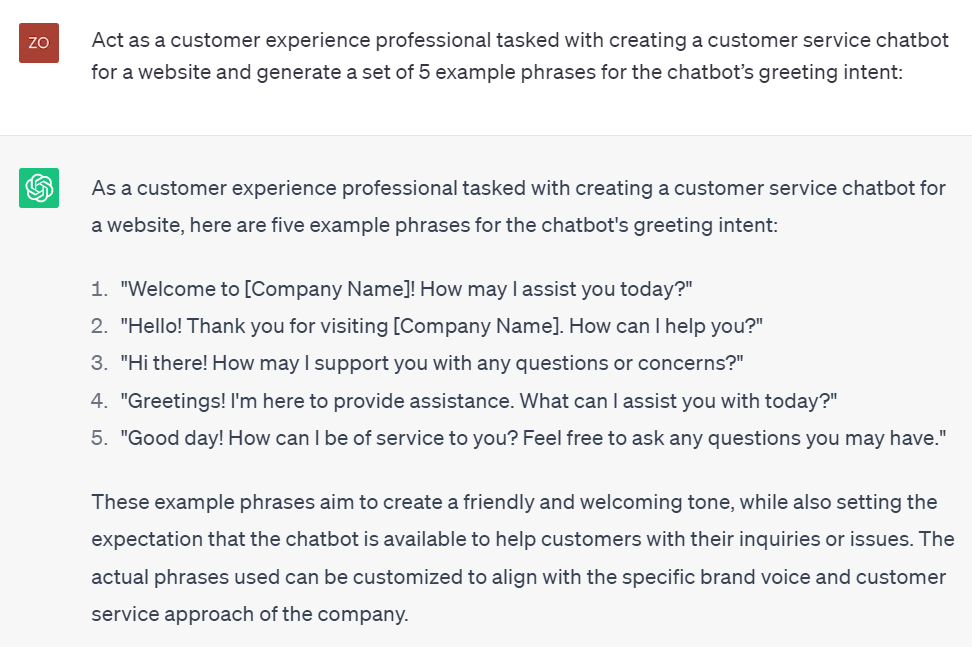
Chat GPT prompt to write chatbot scripts. Source: ChatGPT
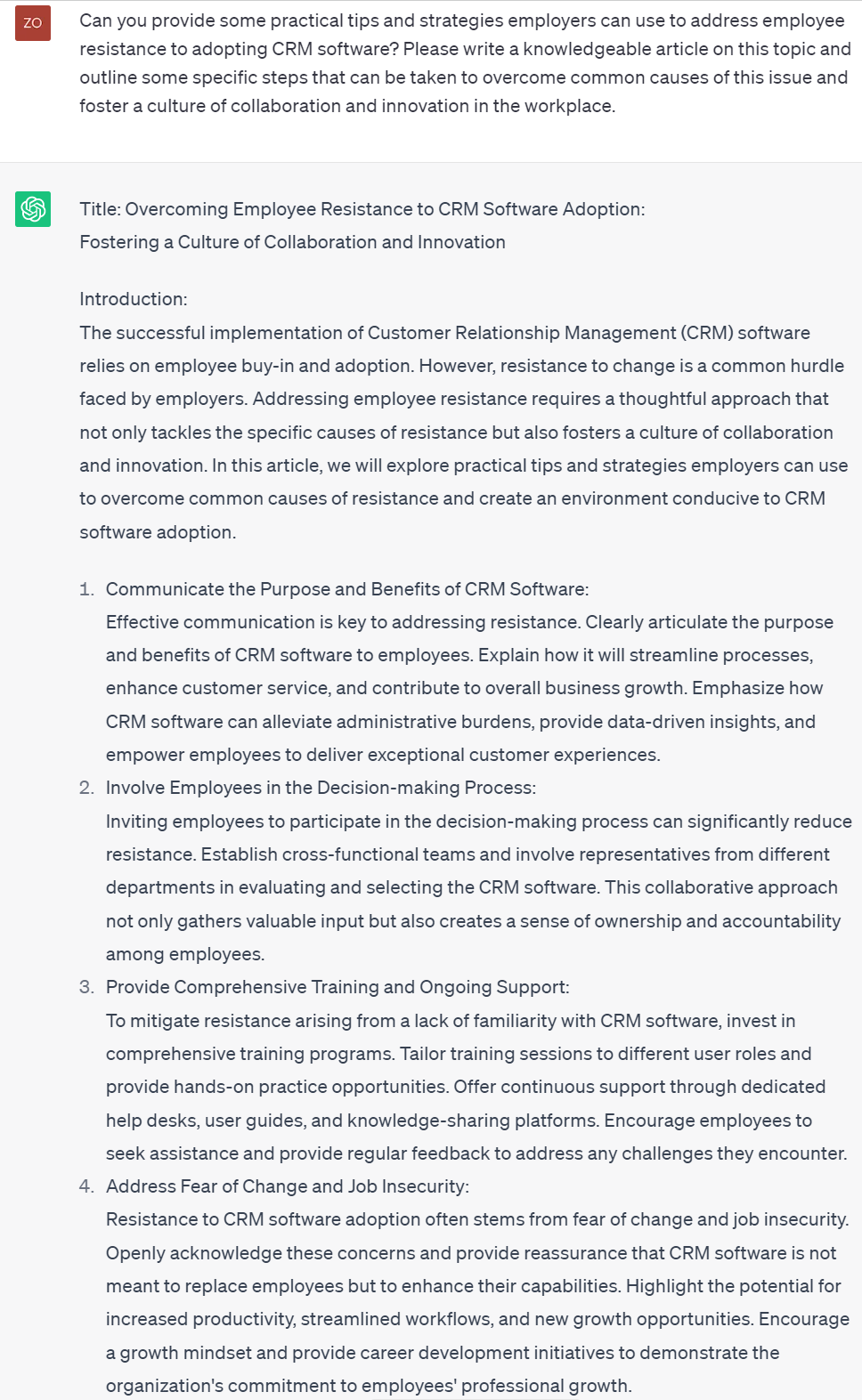
Chat GPT prompt to create a knowledge base article. Source: ChatGPT
Prompt to analyze customer sentiment based on specific data
ChatGPT can analyze customer sentiment based on specific data by using natural language processing techniques to identify certain keywords, phrases, and tone of voice. By analyzing the language used in customer feedback, ChatGPT can determine the overall sentiment of the customer’s message, whether positive, negative, or neutral.
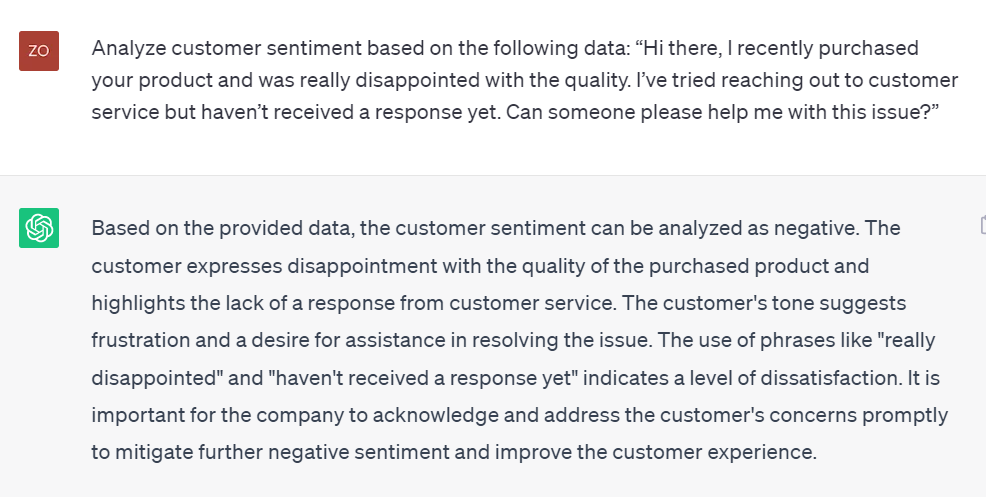
Chat GPT prompt to analyze customer sentiment. Source: ChatGPT
Prompt for creating templates to answer common customer queries
You can feed any relevant product information and policies into each individual prompt.
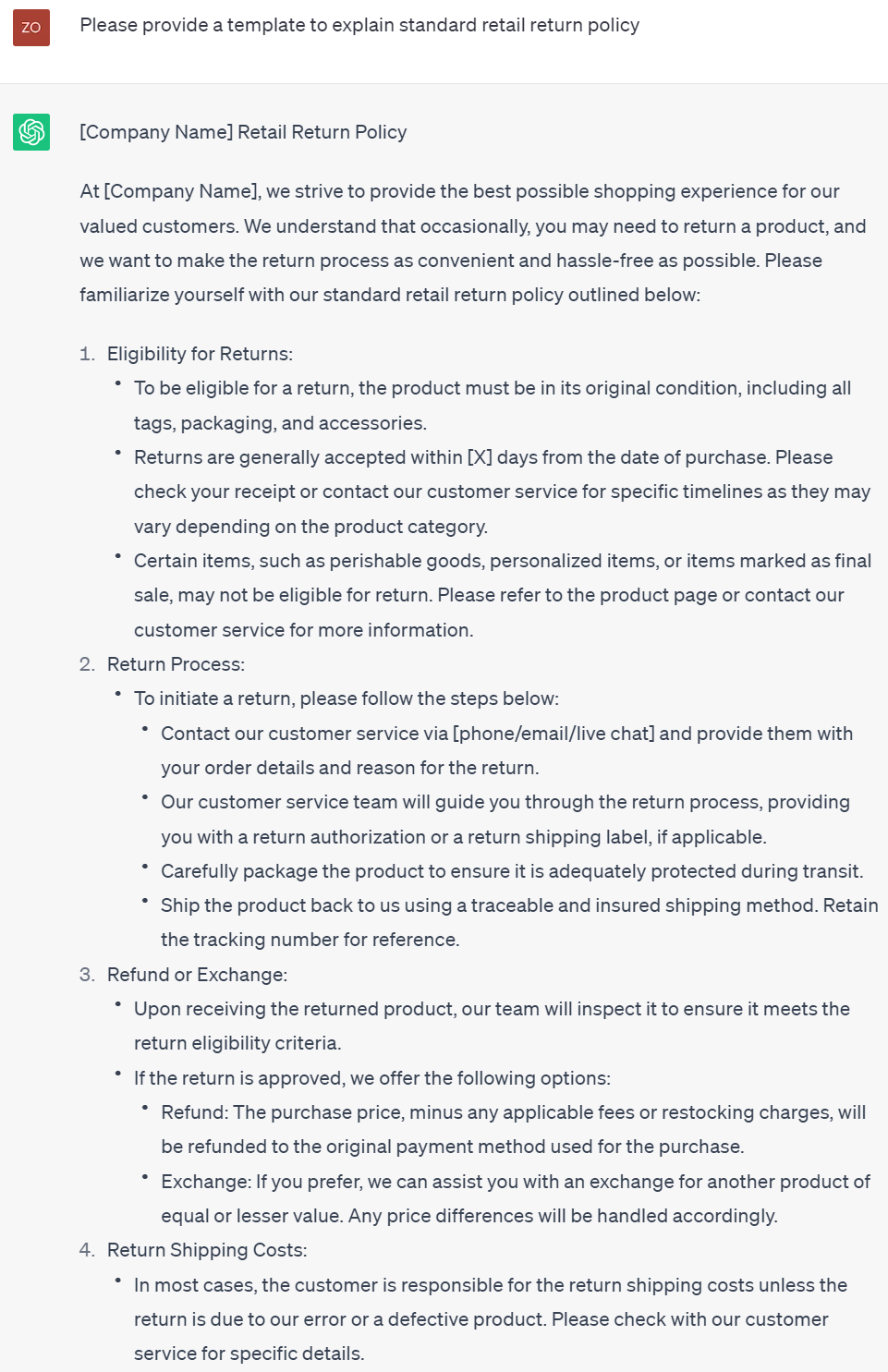
Chat GPT prompt to create templates to answer common customer queries. Source: ChatGPT
Prompt to summarize a long conversation
If you want to use ChatGPT to summarize a long conversation, the first step is to record the conversation or take detailed notes. Then, you can input the conversation into ChatGPT and ask it to summarize the main points or key takeaways. ChatGPT can analyze the input and generate a concise summary based on the content. The summary generated by ChatGPT may not be perfect, so it’s always a good idea to review and revise the summary yourself to ensure accuracy and completeness.
Leveraging ChatGPT for customer service can greatly enhance the efficiency and effectiveness of customer interactions. With its advanced language understanding capabilities and human-like engagement, ChatGPT offers a valuable tool for automating tasks, generating accurate responses, and providing personalized support. By utilizing the free version of ChatGPT or training GPT-4 on their knowledge base, customer service teams can streamline their operations, improve response times, and deliver a more satisfying customer experience. By incorporating ChatGPT into their customer service strategies, businesses can benefit from increased productivity, reduced costs, and enhanced customer satisfaction, ultimately driving business success.